
AllTraxx Field Guide
Get your map ready, record a ride, and bring it home.
Choose a task below. Group Ride needs a compatible paired box.
App 0.9.0 · Firmware 0.7.20
Before the trail
Ready to ride?
- Charge the phone and the box.
- Download and open the needed map area before you lose service.
- Confirm free storage and the covered app and firmware versions.
- Start a new track and confirm recording before you move.
- For Group Ride, confirm the shared channel, rider roster, channel OPEN or CLOSED state, and ON AIR state.
- Stop and save the ride before you close the day.
01 / Start & save
Start and save a ride
Start the track before you move, confirm recording, then stop and save the ride.
Main map → RECORD
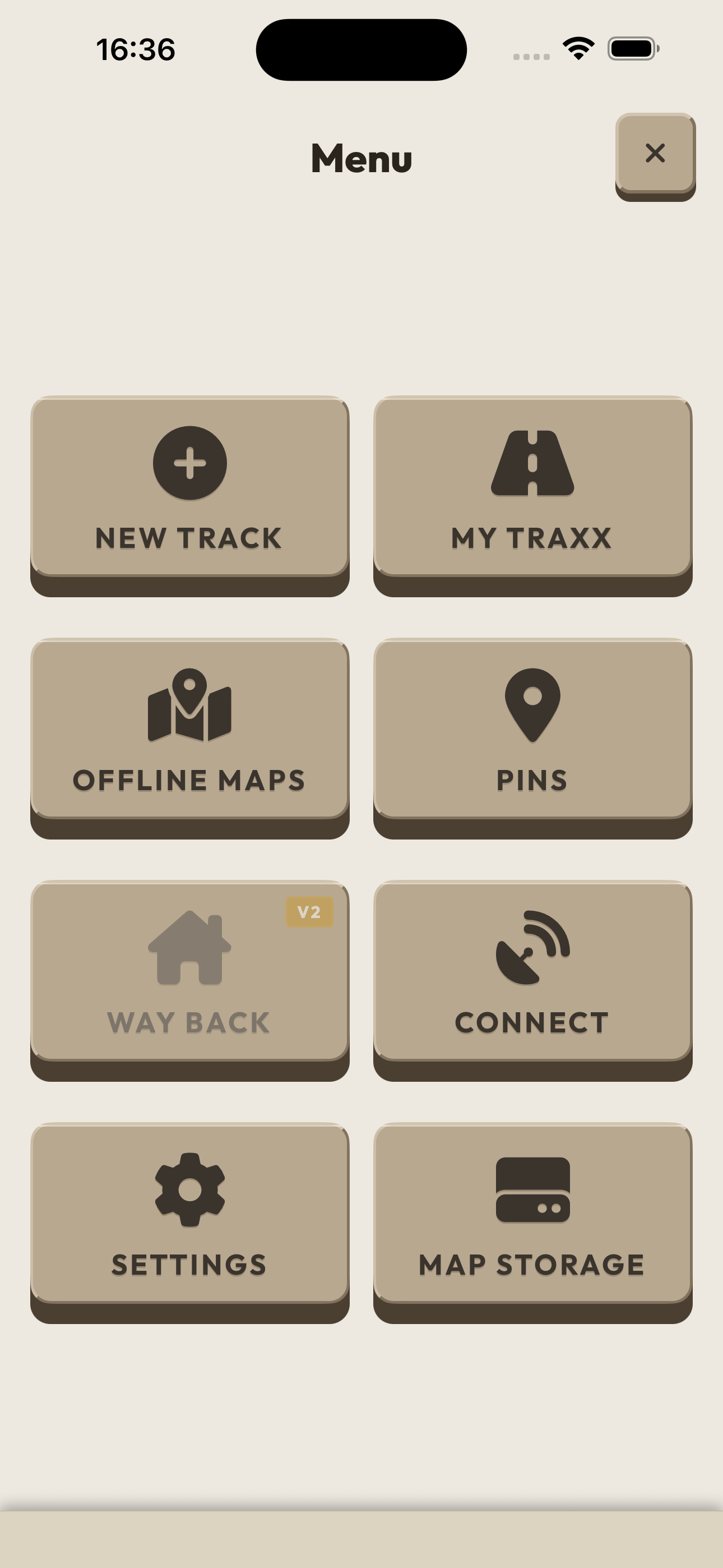
On the main map, press and hold RECORD, then release to start recording.
Confirm that the recording indicator and elapsed timer are active before you ride.
When the ride ends, press and hold RECORD, then release to stop recording.
Finish the ride
If Save Ride opens, review the ride details and select SAVE RIDE.
Open My Traxx and confirm that the saved ride appears in the library.
Confirm recording
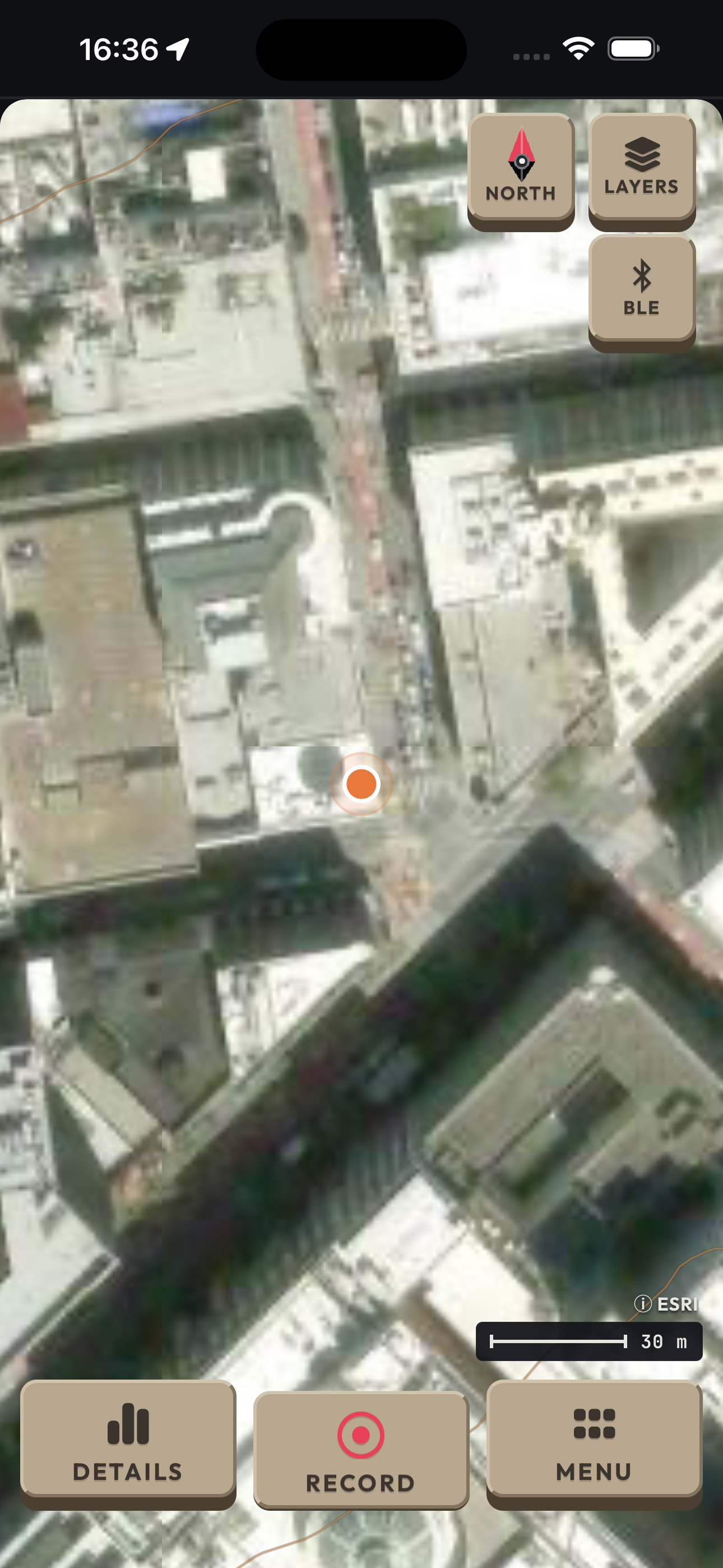
The RECORD control is active in this example. Check the recording indicator and elapsed timer on your own screen before you move.
Earlier iPhone 15 Pro Max simulator · app 0.6.13 · simulated data.
Stop recording Save Ride
Check your library
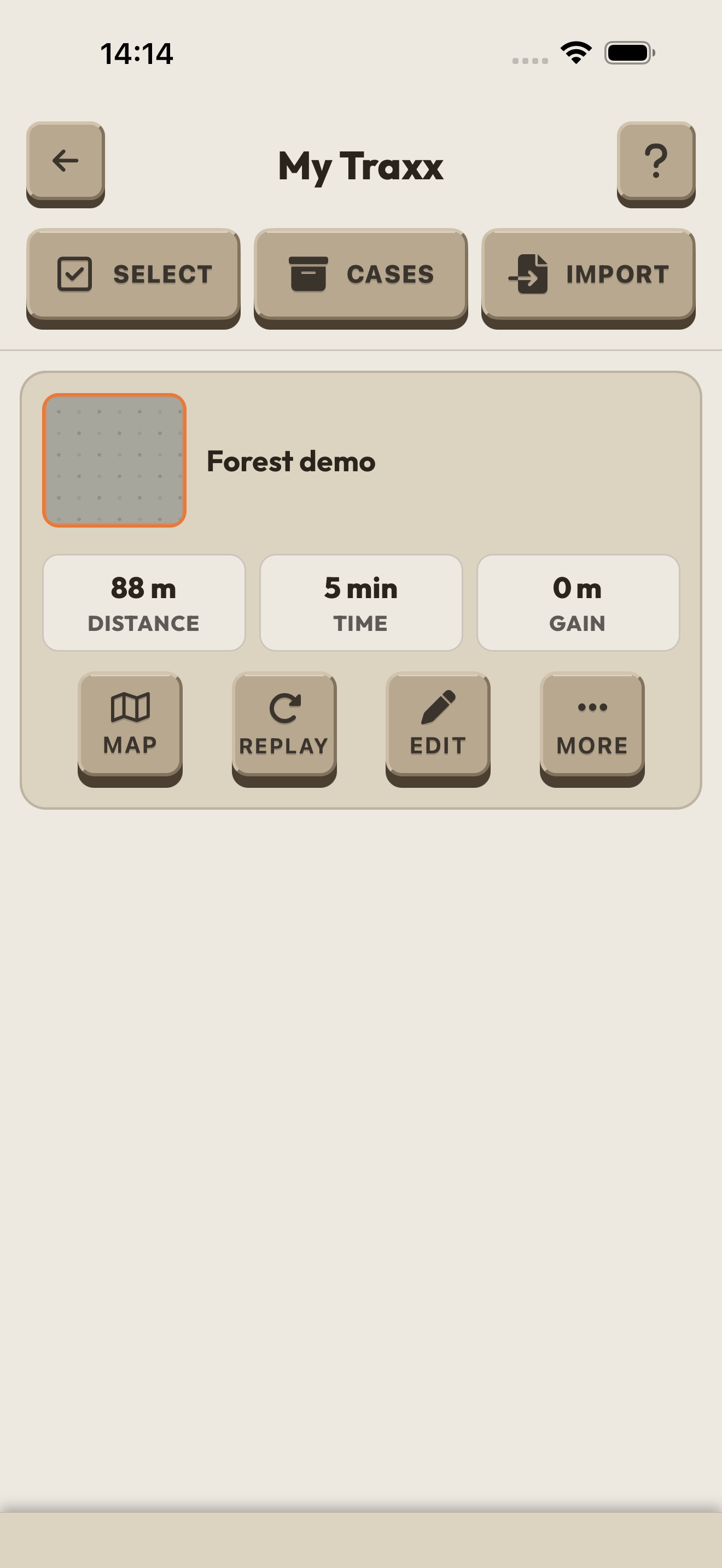
After saving, find your ride in My Traxx. “Forest demo” is synthetic demonstration data, not an actual field recording.
iPhone 17 Pro Max simulator · app 0.6.125/build 1. The app’s placeholder thumbnail is retained.
Written steps cover app 0.9.0. The screenshots are labelled examples from other versions.
02 / My Traxx
My Traxx and file exchange
Find a saved ride, open it on the map, or pass a copy along.
Menu → My Traxx
Open Menu and select My Traxx. Find the saved ride you want in the library.
Select Map on that ride to show its route on the main map, or select Replay to play it back.
Select Edit when you want to change the saved ride details.
Share & import
Send a file
On the ride, open More, then select Share. Choose AllTraxx for a .traxx package, or Plain file for GPX.
Select Send to open the phone share sheet. Choose an app or file destination to send or keep the copy.
Import a ride file
Finish the active recording before importing. Select Import in My Traxx, then From a file to choose a GPX or .traxx file. Review the import before you confirm it.
Exchange nearby
For a nearby exchange, the sender selects More, then Nearby, then Send. The receiver selects Import, then From a rider nearby.
Open the imported item and check its route and details before you rely on it.
Find your saved ride
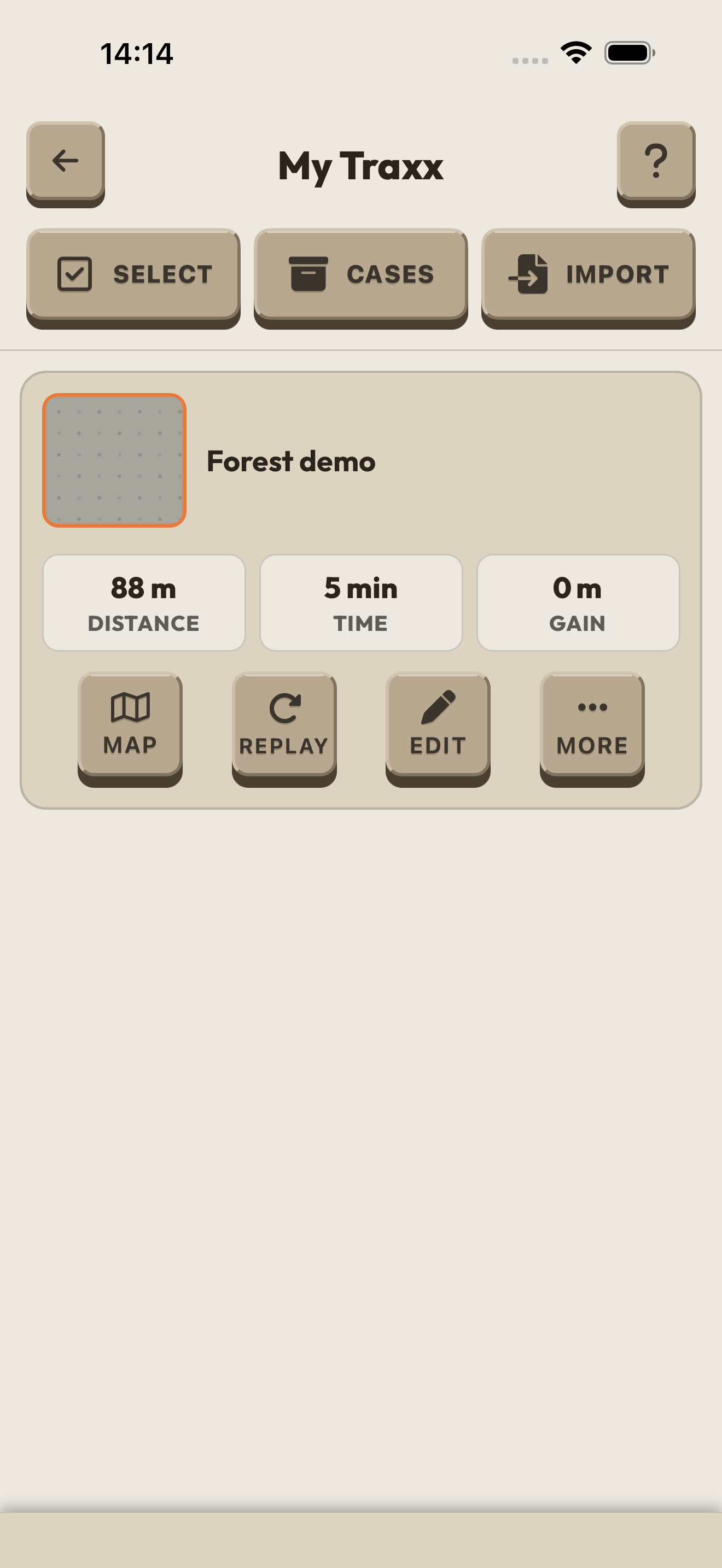
Find the ride, then choose its action. Forest demo is a synthetic example. Map shows the route, Replay plays it back, Edit changes its details, and More opens sharing options. The thumbnail is a placeholder in this capture.
Earlier iPhone 17 Pro Max simulator · app 0.6.125 · synthetic ride data. The written steps cover app 0.9.0.
Choose an exchange file
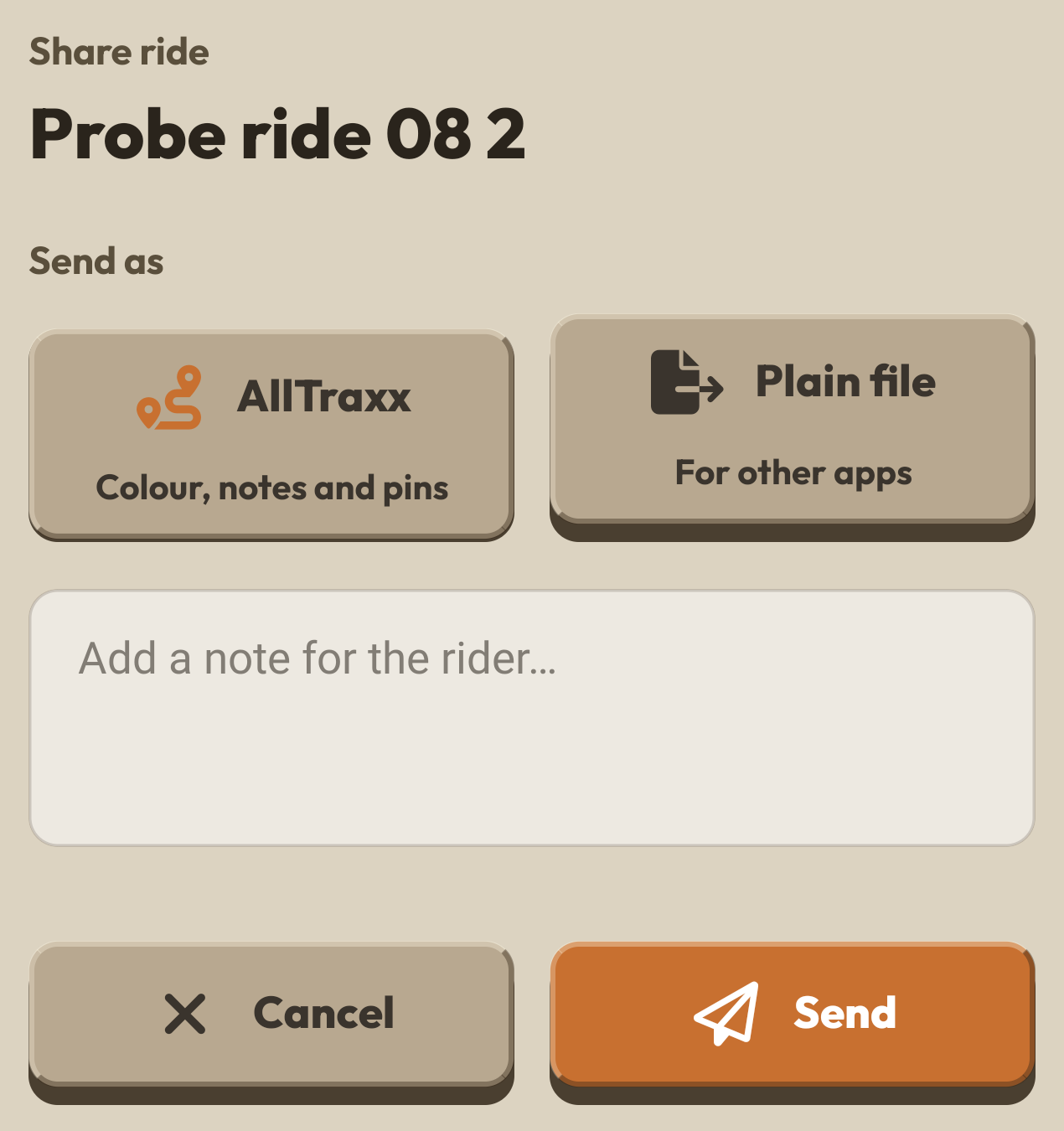
AllTraxx sends a .traxx ride package. Plain file sends GPX. Select Send to choose a destination in the phone share sheet. Pin-only bundles use .traxxpin and the Incoming Pins review.
Galaxy S20 Ultra native reference · app 0.9.0 · dialog detail only. These format choices were checked against the covered 0.9.0 source.
03 / Offline Maps
Offline Maps and storage
Save enough map for your whole ride, including the way back. Finish the download and open the saved area before phone service is lost.
Menu → Offline Maps
Open Menu, select Offline Maps, then select SAVE NEW AREA.
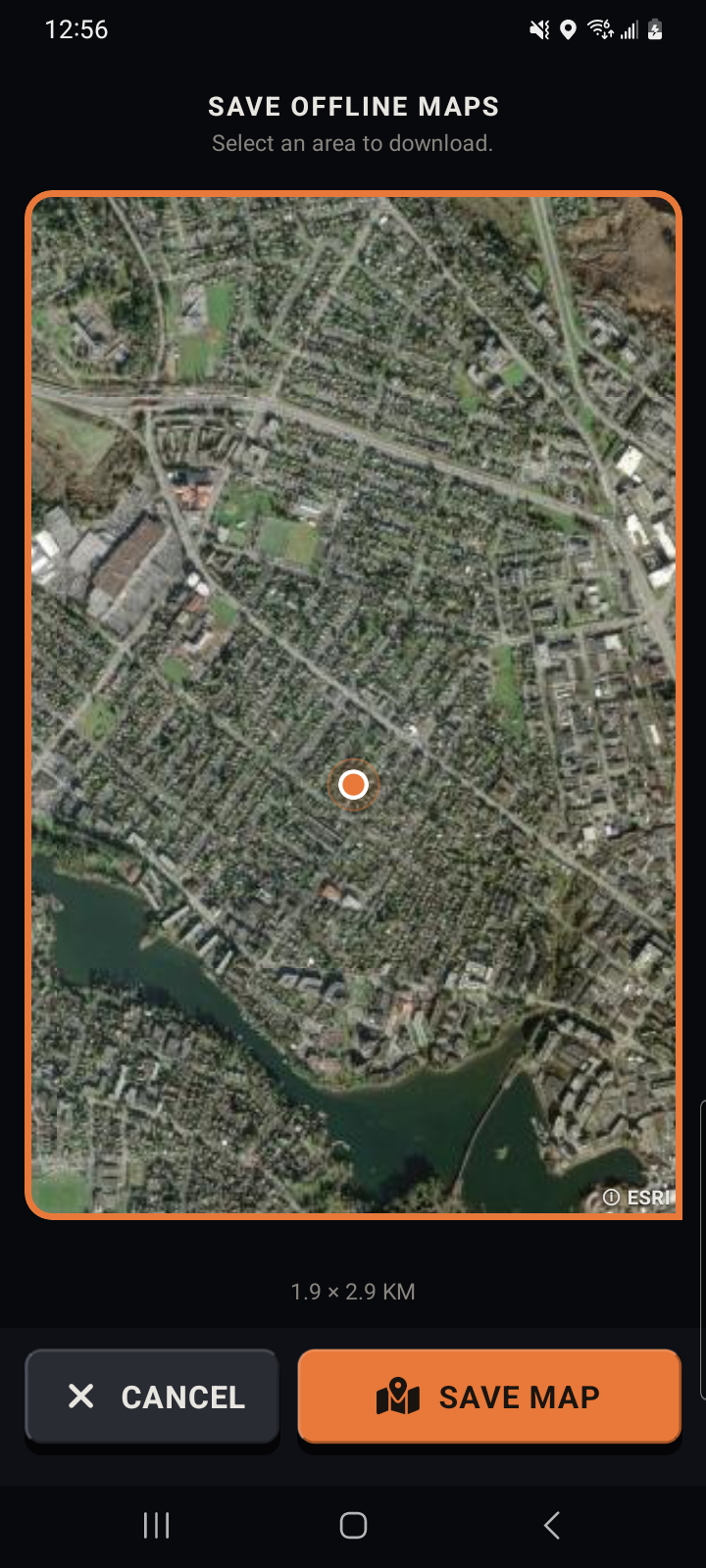
Move and zoom the map until the orange frame covers the area you need, including your return route.
Select SAVE MAP. Review the name, layers, area, and estimated download size.
Select DOWNLOAD and review any network warning. WAIT FOR WIFI queues the map; it does not make the map ready.
Wait for the download to finish. Confirm that the area appears as a completed saved map in Offline Maps.
Open the saved area and check the map layers you need before leaving coverage.
Manage phone storage
Open Menu, then Offline Maps, then MAP STORAGE, to inspect saved areas and their storage use.
Use the available Retry, Rename, or Delete actions to manage an area. Review the selected area before confirming deletion.
The map, on your phone
Frame your area. Check the saved view.
These native app captures show the area frame and a saved map opened on the main map.
Choose the area
Open the saved map
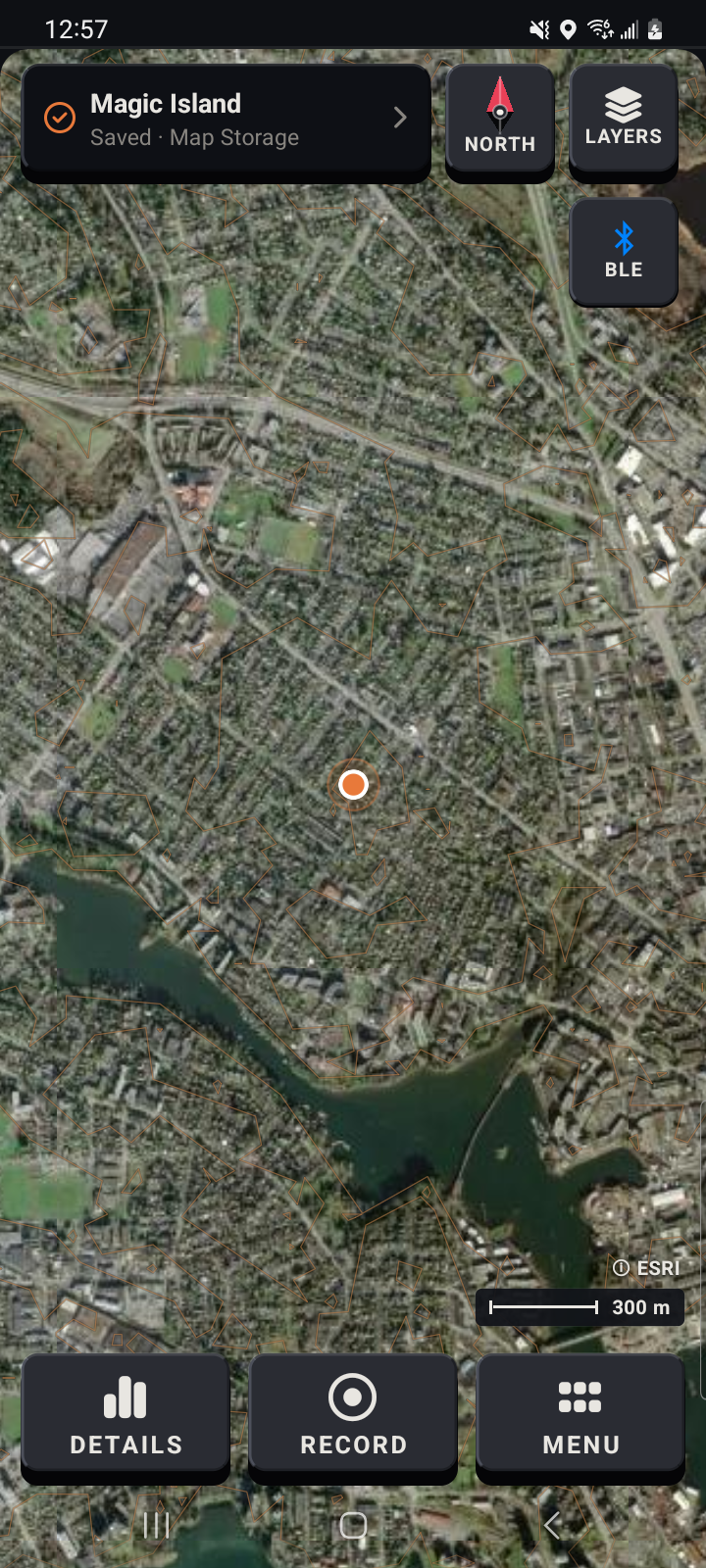
Earlier native Android references, captured in July 2026. This guide covers app 0.9.0; screen details can differ. Esri imagery is shown for the prototype demo, with its attribution retained.
04 / Pins
Pins
Save a place with a name you will recognize, then keep related pins together.
Menu → Pins
Open Menu and select Pins.
Select PLACE A PIN, choose its position on the map, then name the pin.
Groups, sharing & incoming pins
Organize pins
Select New Group to keep related pins together.
Open a group, then select Open on a pin to inspect it on the map. Select Actions for Edit, Waypoint, Hide, Share, and Delete. Press Hide again to show the pin.
Select pins, then use Move, Show, Hide, Share, or Delete for the selected set.
Share pins
Use Share to create a .traxxpin bundle. Choose where to send it in the phone share sheet.
Receive a pin bundle
On the receiving phone, open the incoming .traxxpin file and choose AllTraxx through the phone's file-opening or sharing controls.
Review the filename and pin and group counts in Incoming Pins, then select Import to add the bundle.
Open Pins and inspect the imported pins and groups, including their positions on the map.
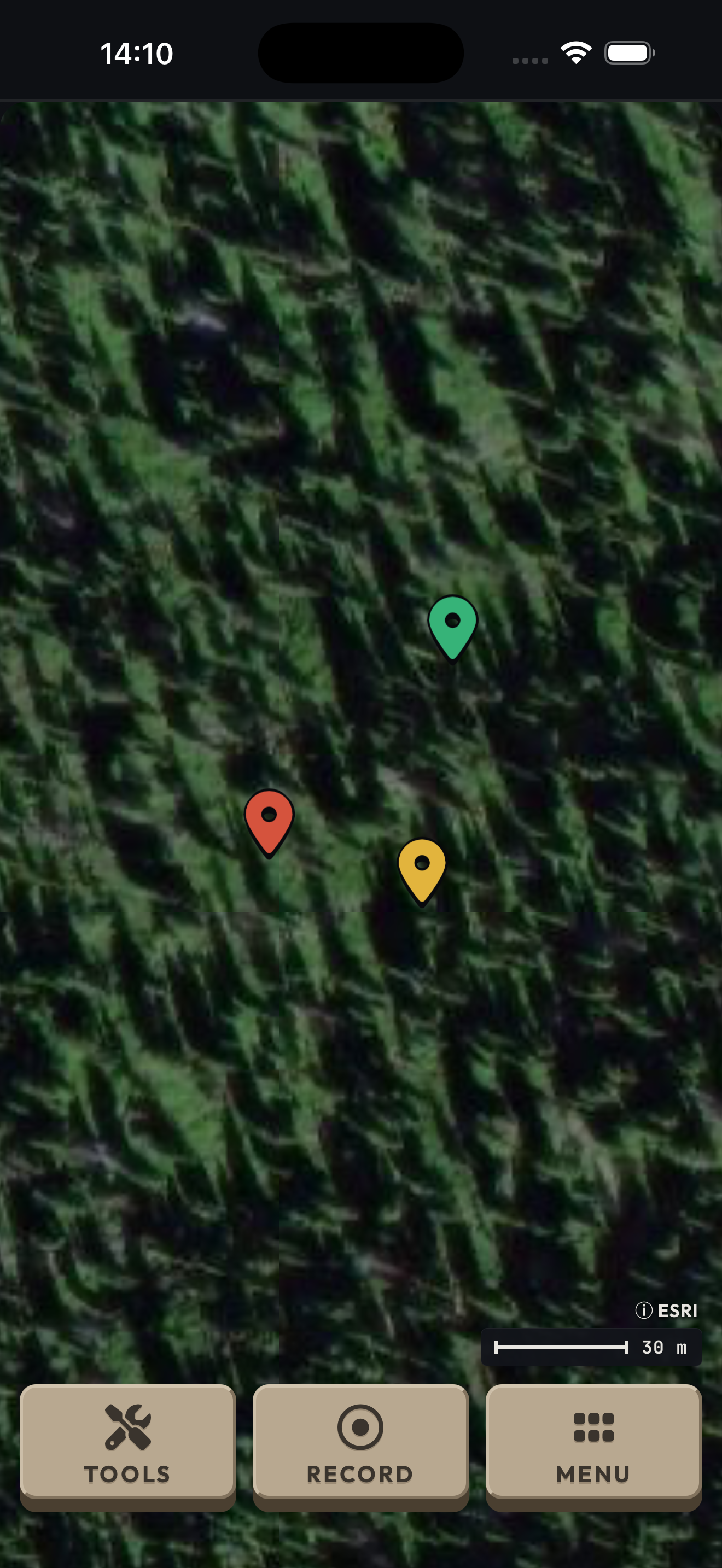 Camp
Big Swamp
Avoid here
Website name annotations
Camp
Big Swamp
Avoid here
Website name annotations
Camp · A meeting place named by your crew.
Big Swamp · A place name you will recognize.
Avoid here · A reminder from an earlier ride.
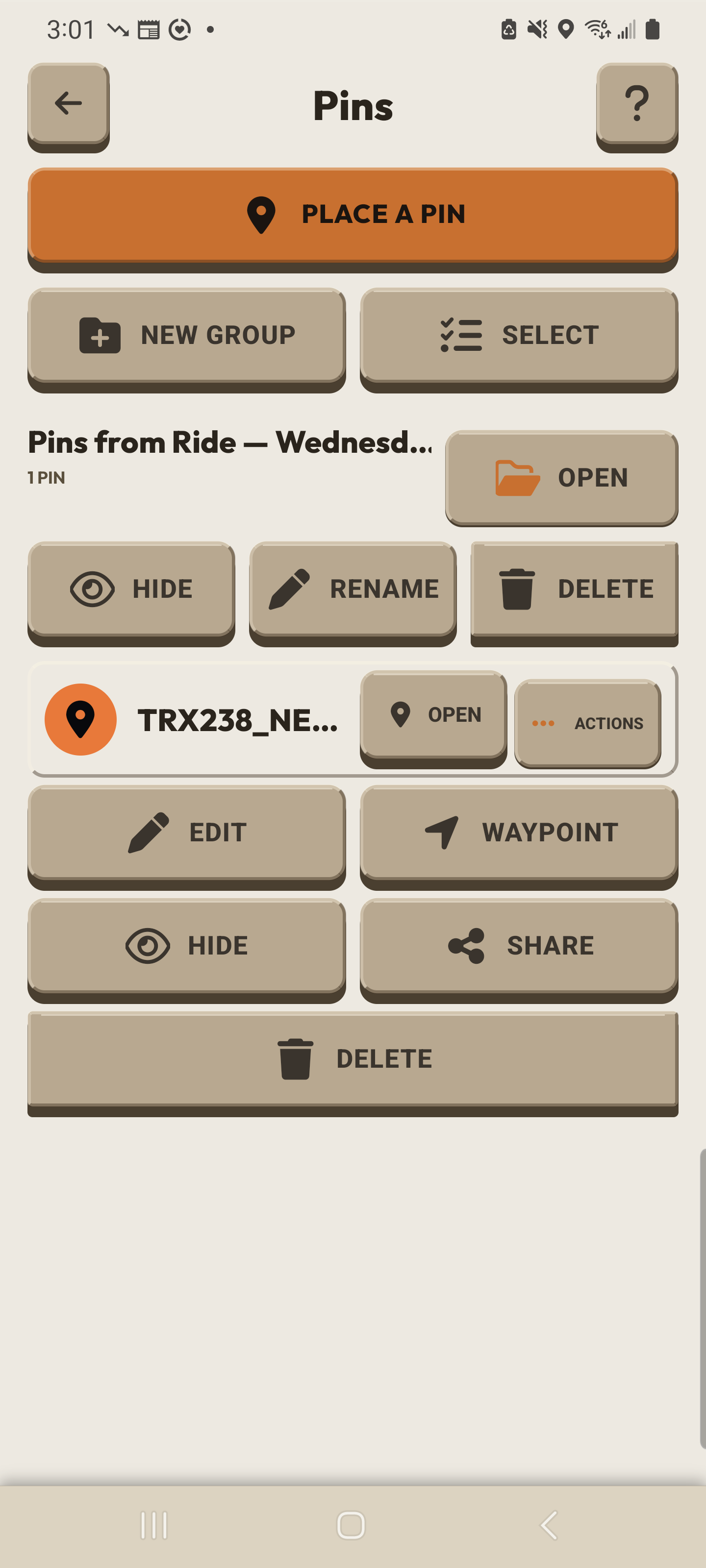
Actions opens the controls for one saved pin.
05 / Pair box
Hardware, pairing, and updates
Match the code on the box, confirm with its button, then check the connection. Firmware updates are in Settings → Hardware.
Menu → Connect · Settings → Hardware
Turn on Bluetooth on the phone. Hold the box button for about one second to turn the box on.
In AllTraxx, open Menu and select Connect. Read the code on the box screen, then select that code in the app.
When the box shows PRESS BUTTON and a countdown, press its button once to confirm pairing.
Check for the solid Bluetooth symbol on the box. After the first pairing, the box looks for the same phone when both are available.
Update & reset
Update firmware
Connect the paired box to the phone and stop recording before updating. If the app reports a low box battery, charge the box before trying again.
Keep the box near the phone. Open Settings, select Hardware, then find the Firmware card and select Update when it is offered.
Keep AllTraxx open and both devices powered until the box restarts. Do not turn off the phone or box during the update.
The installed app includes the firmware and sends it to the box over Bluetooth. Phone data service is not needed for this transfer.
Forget and pair again
To forget from the app, open Settings, then Hardware, and select Forget. When the box shows FORGET and PRESS BUTTON, press its button once.
To forget from the box, press its button three times quickly. Pair again before the next ride.
Sleep or wake
To sleep the box, hold its button for three seconds and release when the screen says Release! Hold it for about one second to turn it on again.
Find it on your phone
Open Hardware in Settings.
Settings → Hardware
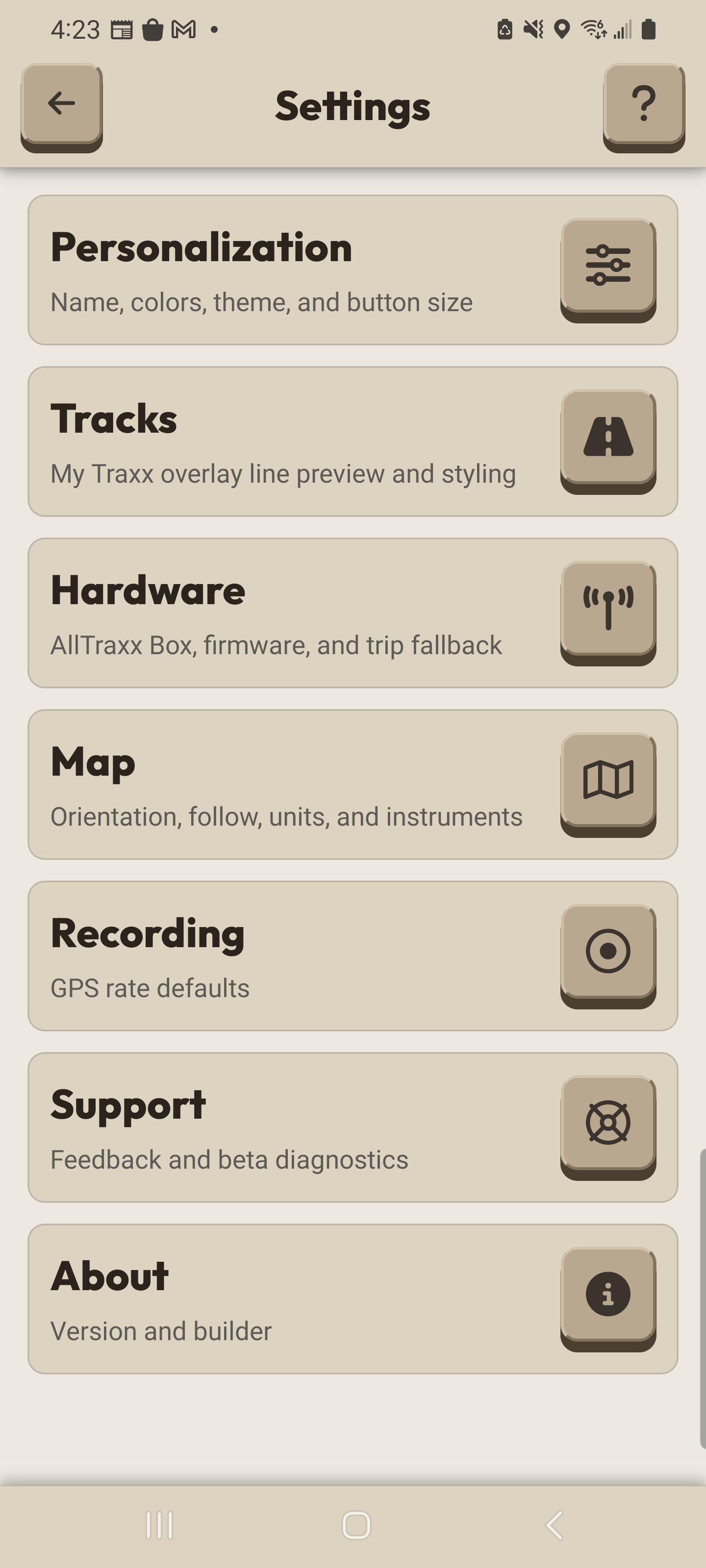
Open Hardware in Settings. With your paired box connected, the Firmware card appears inside this page.
Power the box. Select Connect.
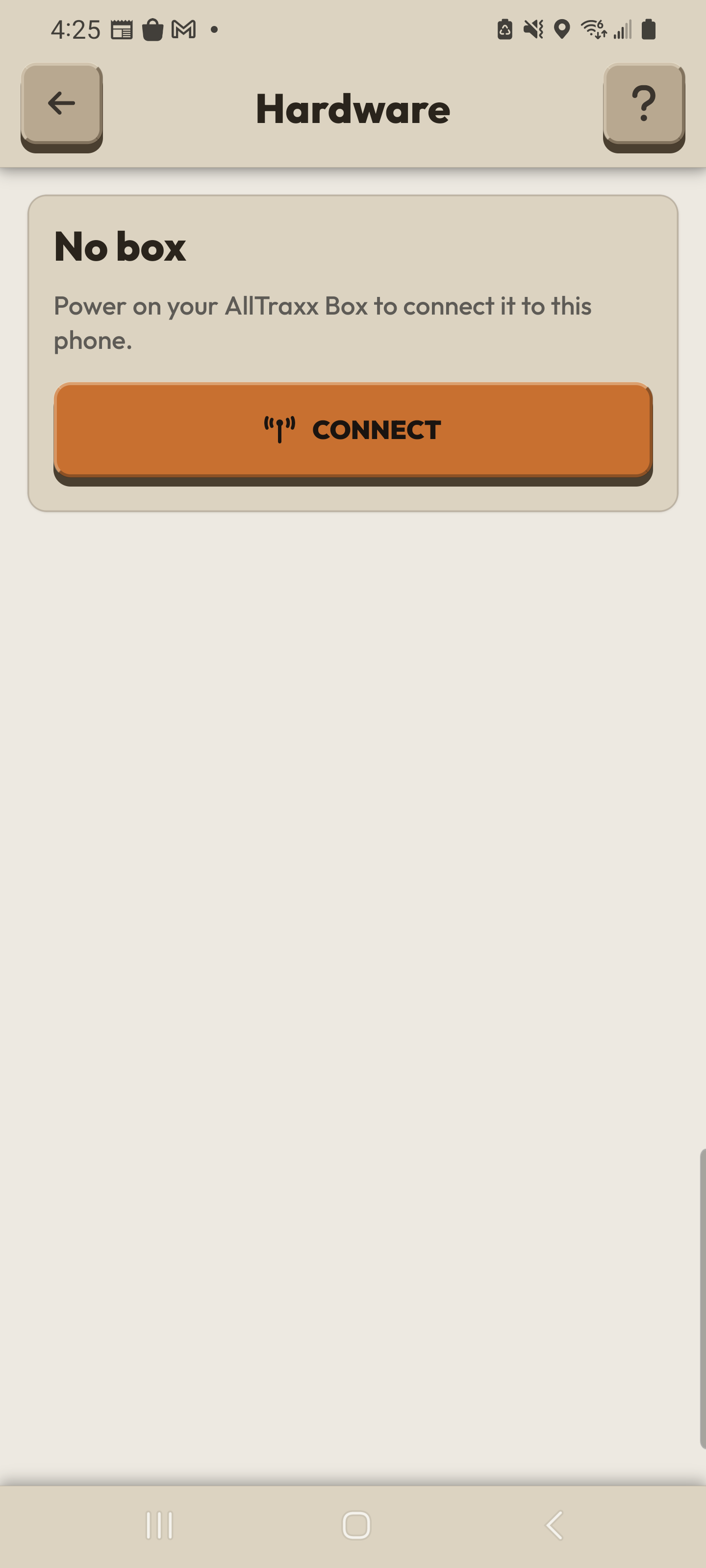
This is the No box state. Select the code shown on your box, then press its physical button when PRESS BUTTON appears.
06 / Group Ride
Group Ride
Choose one channel together, confirm your radio is transmitting, and learn which rider each map marker represents.
Menu → Group Ride
Each phone needs its own compatible paired box. Read the hardware key in Menu: Connect means a box is not connected; Update means its firmware needs updating. Open Group Ride when that name appears.
Fit the antenna before using the radio. Turn the channel control to the channel your group agreed to use. A different channel is a different group.
Before POWER, wait for the connected box's own fresh satellite report: at least five satellites, with telemetry less than three seconds old. Phone GPS does not satisfy this check. If WEAK GPS SIGNAL appears, follow Move to open sky.
Press POWER to request radio operation. On first use with the default setting, Is the antenna fitted? opens. Check the actual antenna, then select It's Fitted. Select Cancel if it is not fitted.
Read ON AIR before you ride. Red means the box confirms fresh transmission; yellow means the request is not yet confirmed; dark means transmission is not confirmed. The POWER key shows your request.
Compare the RIDERS roster with the people riding with you. Confirm the shared channel and each rider's presence before leaving. A scan mark on the channel scale alone does not add someone to the active roster.
Read your riders and radio
Know who is on the map
Open CONFIG and review Rider Name. Your broadcast initials come from that name. Agree which initials belong to each person while you are together; initials are not necessarily unique.
Use Rider Initials in CONFIG if you want initials inside the map dots. Heading Arrow shows the rider's direction of movement when the received position supports it. Full Trails keeps the whole received rider trail rather than a short fading trail.
Return to the map and tap a rider dot or its edge chip to open that rider's card. Match the card initials with your crew. The card shows distance and signed height difference from you. An alert badge can replace initials inside the dot, so use the card to identify an alerting rider.
If broadcast initials are unavailable, a direct rider can show the last two characters of the box ID. An unnamed relayed rider shows ??. Check with your crew rather than treating a fallback label as a confirmed person's name.
Read freshness and missing riders
A marker is based on rider information the app received; it does not prove where the rider is now. After 30 seconds without a newer beacon or trail time, it uses last-known presentation. At 60 seconds, it is stale and can be marked missing. These are app thresholds, not evidence of where the rider is now.
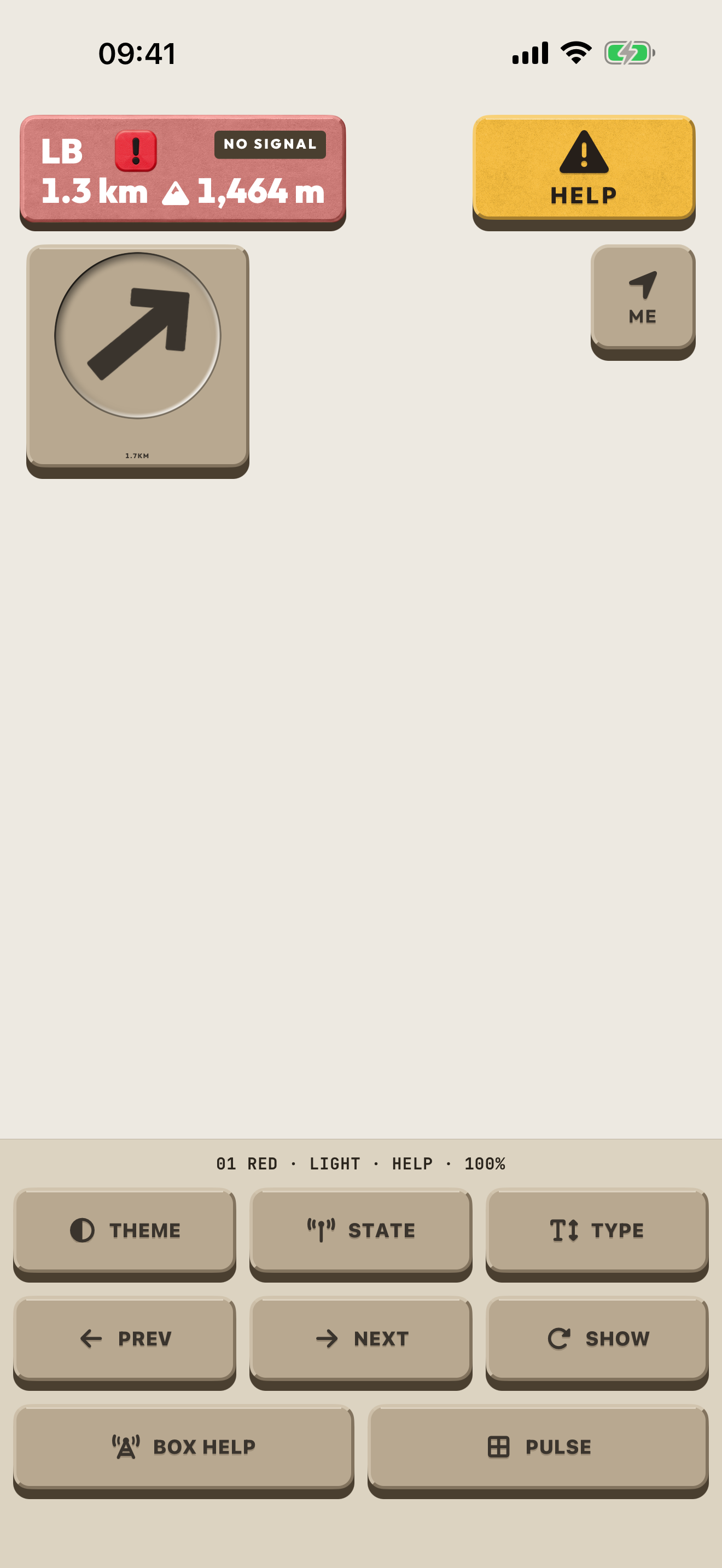
A previously shown rider keeps their last-known map position when the receiver stops listing them. Inspect the edge chip or pan the map if they are outside your view. Tap a missing, HELP or departed rider's marker or chip to open compass guidance. Tap the expanded card once to hide guidance, then again to dismiss it; tap the marker to bring guidance back.
Distinguish the rider states. Missing means updates went quiet. HELP means a received help request and takes priority over missing. RIDER LEFT is a reported deliberate departure, such as POWER off or a channel change, with a grey marker. Compass guidance points to the available rider position, which may be old.
For a missing rider, stop safely and use your crew's agreed check-in procedure. Check your own phone-to-box connection, box power, shared channel and ON AIR. Preserve the last-known position while you make contact; a quiet radio does not establish the rider's condition.
Lock, update rate and channel changes
Once your group is present, press LOCK to request closing the channel. Read OPEN or CLOSED beneath the key for the confirmed state. Press LOCK again to request reopening it; the key position alone does not confirm the change.
Turn POWER on before choosing ECO or BOOST. The mode glyph lights only when the box confirms the effect. Source cadence is ECO every ten seconds, normal every five seconds and BOOST every second; reception and conditions determine which updates reach you.
Press the active ECO or BOOST key again to return to the normal update rate.
After changing channel with POWER on, wait for confirmation and check ON AIR again before riding. Recheck the roster for the group on that channel.
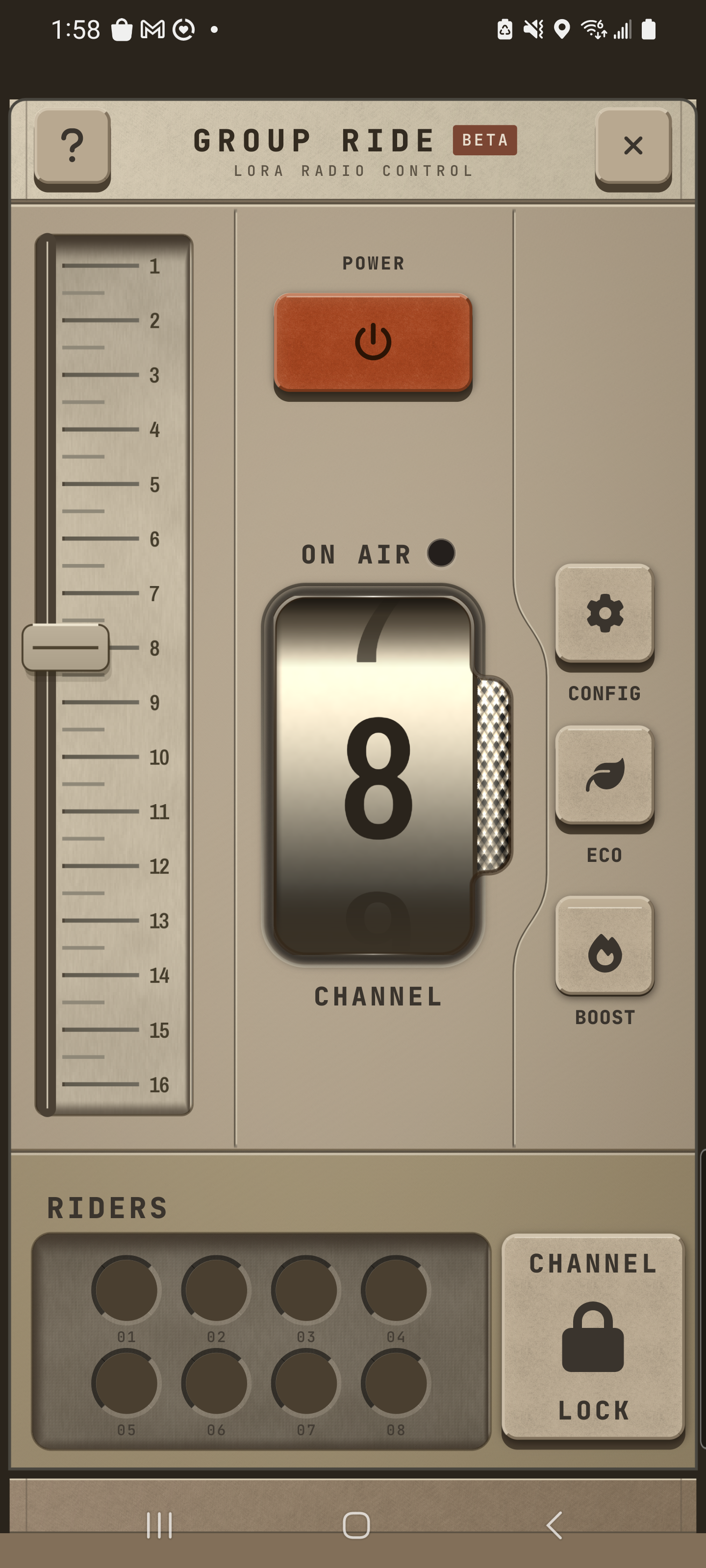
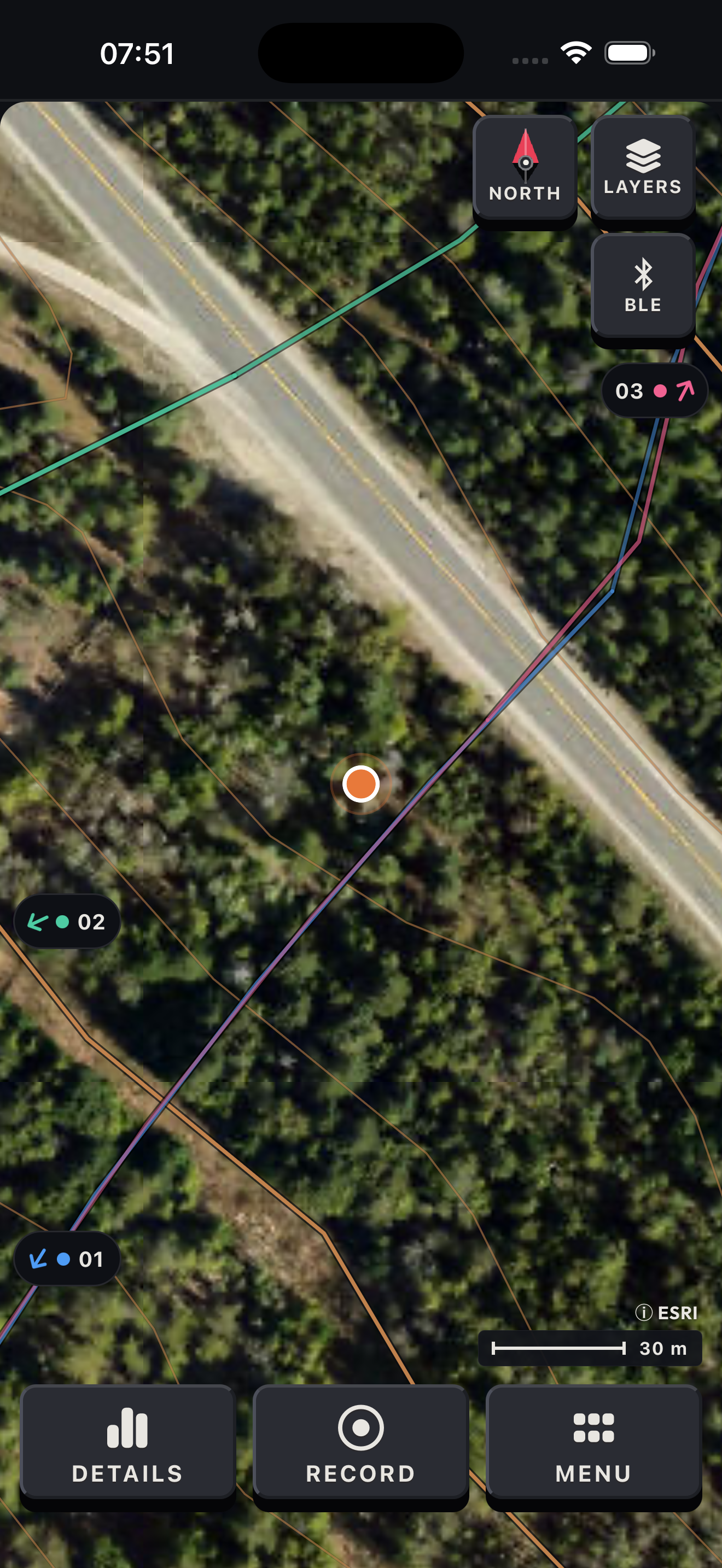
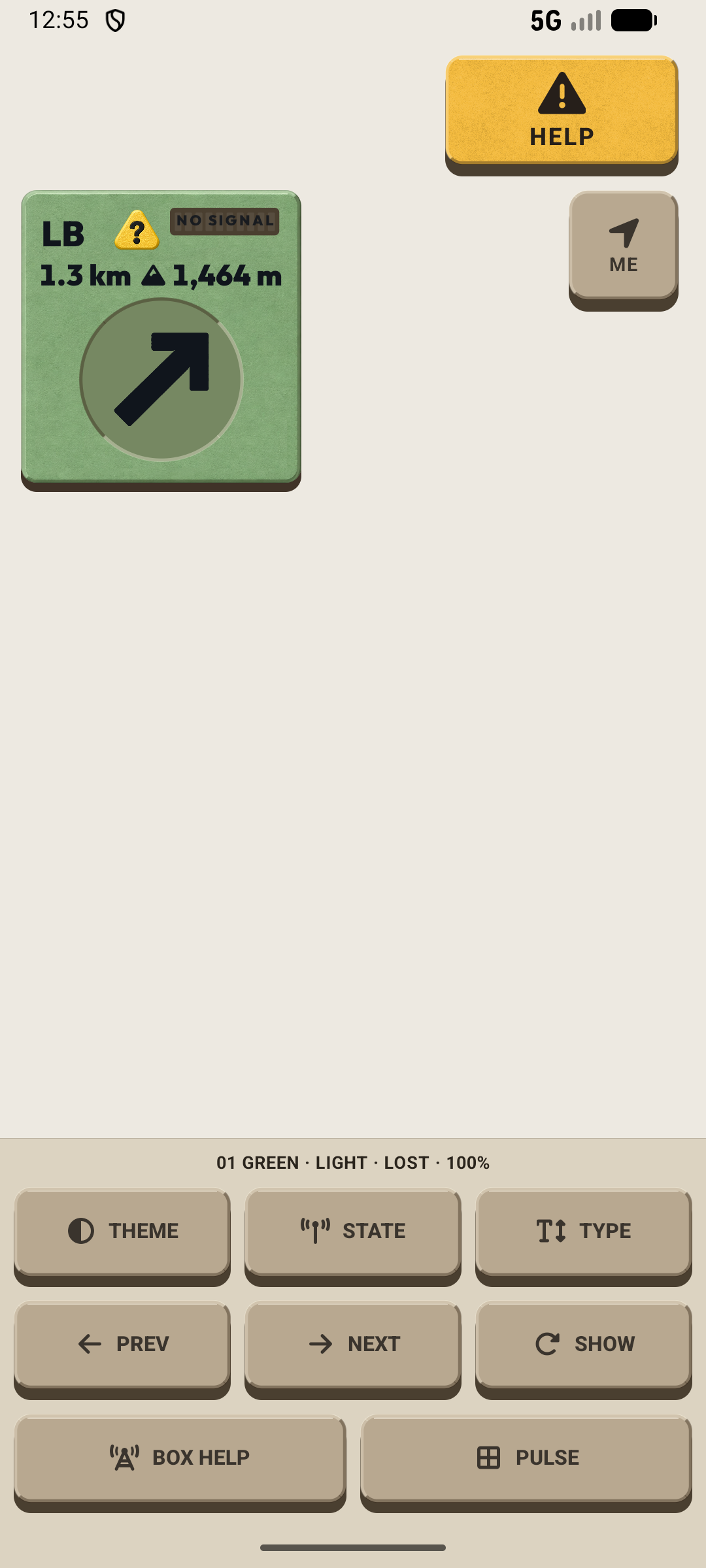
In this guide's release, tap the missing rider's dot or edge chip for compass guidance. Tap the expanded card to step down to the compact bar, then tap again to dismiss. Tapping the marker brings guidance back.
Read ON AIR
- Red
- The box confirms fresh transmission.
- Yellow
- The radio request is not yet confirmed.
- Dark
- Transmission is not confirmed.
07 / Recovery
Recovery and diagnostics
Stop safely. Check the ride and GPS first, then choose the recovery step that matches the problem.
Settings → Support
Stop safely and note the time, your last action, and any message on the phone or box.
If the phone slept, wake it and open AllTraxx. Check whether recording is still active before you continue.
Phone, GPS, box & diagnostics
After the app closes
If AllTraxx closed, reopen it. An unfinished ride resumes when the app can restore its stored recording. Confirm that recording is active; reopening does not finish Save Ride.
If recording has not resumed, read any error before starting another track. Open My Traxx to look for rides you already completed and saved.
When GPS is missing
If your position is missing or no longer updating, stop in a place with a clear view of the sky. Check that the phone allows location access. If you use a box, check its power, GPS state, and phone connection.
Wait for a fresh position before continuing. A running timer alone does not prove that GPS points are arriving.
Recover the box connection
If the box looks stuck, press its button once and follow the screen.
If the problem remains, hold the box button for three seconds and release when the screen says Release! Hold it for about one second to wake it, then open AllTraxx and allow the phone to reconnect.
If pairing is the problem, open Settings → Hardware and select Forget, then confirm on the box. Or press the box button three times quickly to forget from the box. Pair again before riding.
Send useful details
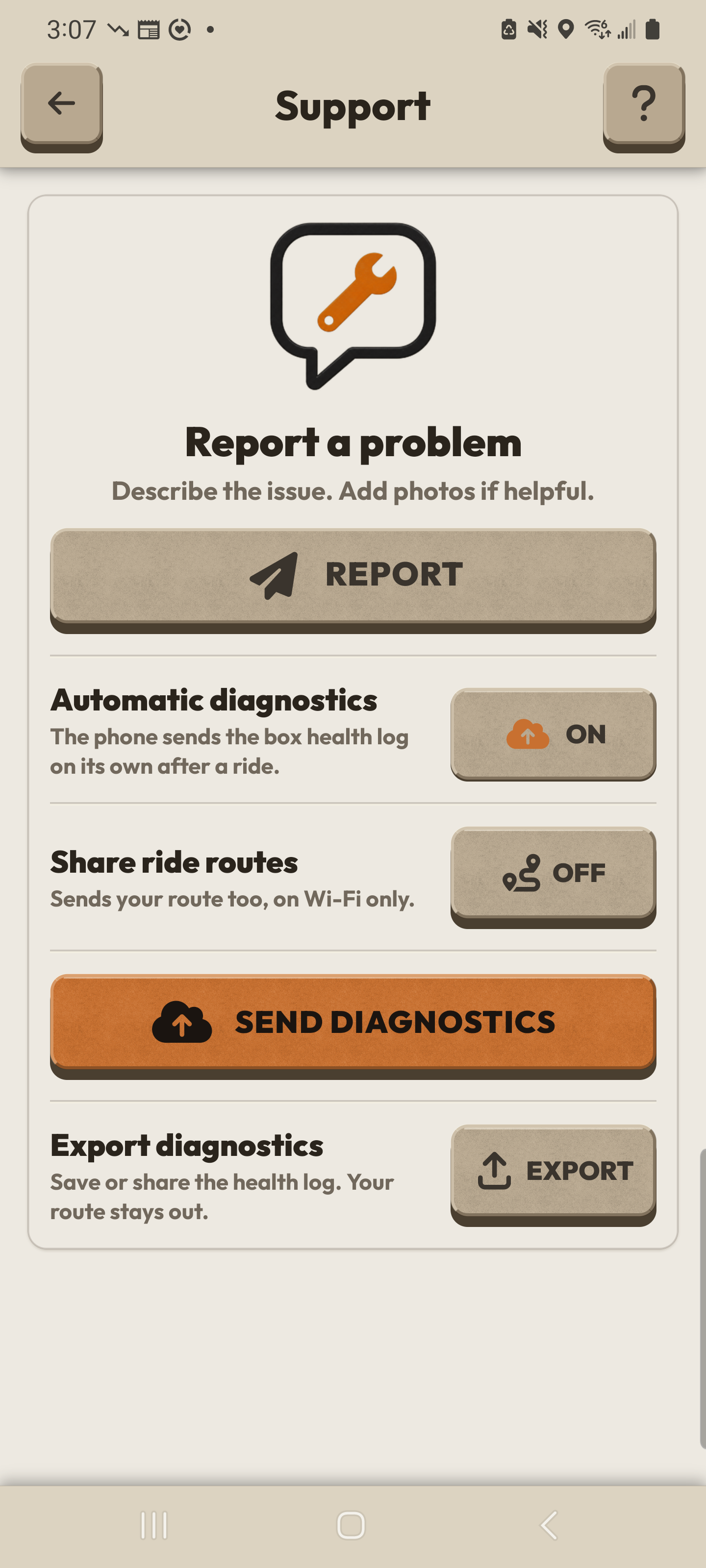
To send diagnostics, finish recording and save the ride if Save Ride opens. Connect the phone to the internet, then open Settings → Support.
Check Share ride routes before selecting SEND DIAGNOSTICS. When this setting is on, the manual send can include ride routes over Wi-Fi or cellular. Sending is unavailable while recording.
Use EXPORT to save or share the health log through the phone share sheet. The EXPORT file leaves ride routes out; you choose where the file goes.
Email support@alltraxx.ca with the time, your last action, the message you saw, and what changed after reopening. Share only the screenshots, diagnostics, ride files, and location details you intend to share.
After reopening
Check the ride.
Then check the position.
- Recording
- Confirm that recording is active. Reopening can resume a stored unfinished ride.
- GPS
- Wait for a fresh position. A running timer does not confirm new GPS points.
- Saved ride
- A completed ride belongs in My Traxx. Reopening is separate from stopping the recording and Save Ride.
Need a hand?
The time. The last action.
The message you saw.
Include what changed after reopening. Choose which screenshots or files to share.
Email supportGuide edition
App 0.9.0 | Android 6065 | Firmware 0.7.20 | Source a754f38f8a4c70fdd472041afd781496bfb60e2c
Instructions follow this Android release and its box manual. Native screenshot references are labelled with their capture version. Example pins and rider states are demonstrations.